Meeting notes · Mac / iPhone / iPad
Every meeting,
clearly remembered.
Record, transcribe and take notes. Free on-device transcription, your data stays on your device, and no subscription: optional AI features use your own account.
macOS 15 or later · Free · Notarized by Apple
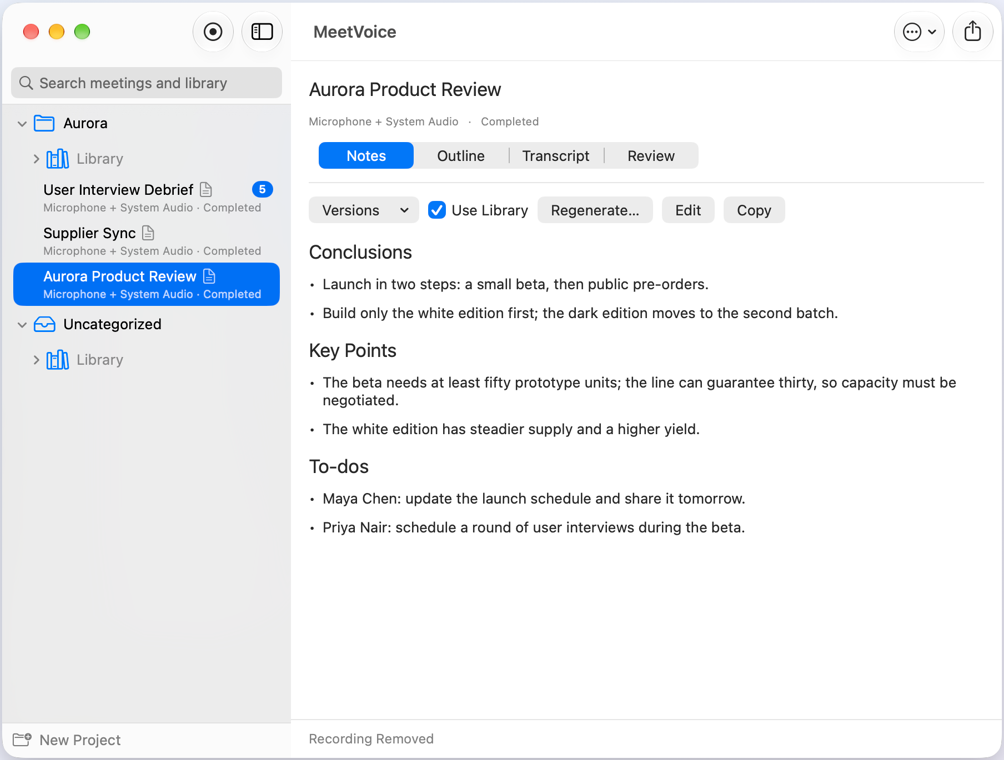
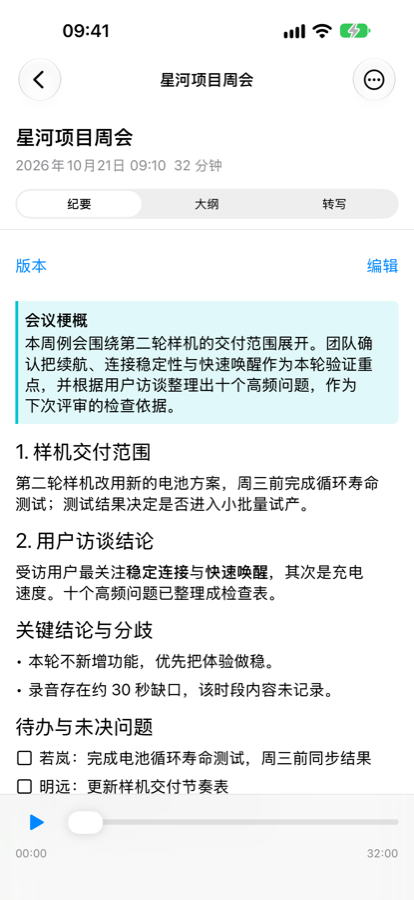
- Freeapp and on-device transcription
- 0accounts to sign up for
- 3platforms: Mac / iPhone / iPad
- EN / 中interface languages
Free on-device transcription
No internet, no key. Recordings become text right on your device.
See what it does →Your data stays yours
No account. Recordings, transcripts and your library live only on your device.
Where your data goes →No subscription
Optional AI features use your own account, and how much you use them is up to you.
What it costs →A meeting, in MeetVoice
From pressing record to a library of what mattered, you only do the first step.
- 00:00
Start recording
Microphone and system audio together
- While recording
Live outline
Updates about every half minute
- When you stop
Transcription
On device, free and offline
- Minutes later
Notes and a title
Three levels of detail, named for you
- Then
Into your library
People, to-dos, learning cards, key terms
Live outline
The meeting isn't over,
and it's already on paper.
Where the discussion is and what was just decided, one glance away. You can also generate it afterwards.
See all features →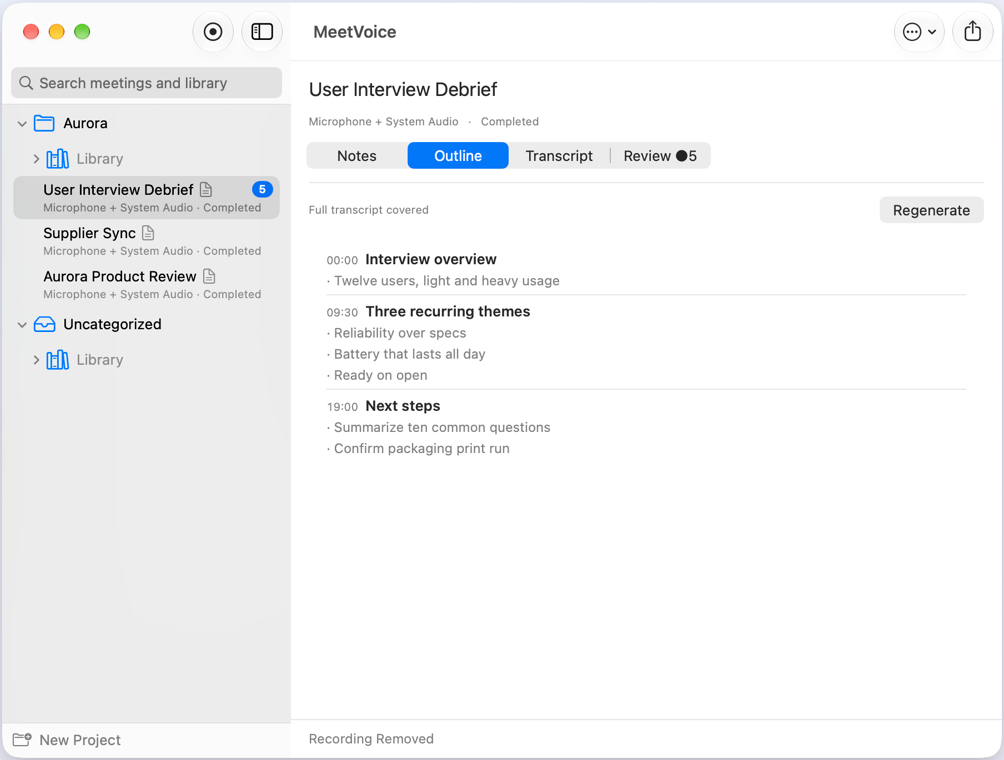
iPhone and iPad
A meeting notebook
in your pocket.
Keep recording with the screen locked and check the status in the Dynamic Island. Open the app to find the full text, outline and notes.
See all features →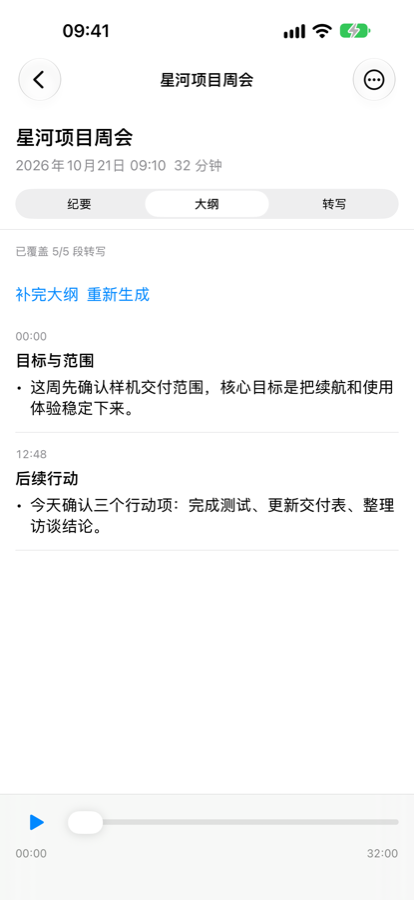
On every device you use
MeetVoice is a tool,
not a membership.
Free app · Free on-device transcription · No monthly fee, no in-app purchases
FAQ
More questions →Is it really free?
The app is free and on-device transcription is free. AI features such as notes and outlines are optional and use your own existing account with a provider. We don't charge anything and nothing goes through us.
Are my recordings uploaded?
With on-device transcription, audio never leaves your device. Only when you choose a cloud service is the content that needs processing sent directly to the provider you chose, never through us.
Can I use it on a system older than 26?
Yes. Recording, notes and the library all work; for transcription, choose a cloud transcription service and enter your own key.
Start capturing your meetings
Free to download. Record your next meeting.