Features
From recording to notes, in one flow
Press record and let MeetVoice do the rest: turn it into text, build an outline, write the notes, name the meeting, and keep the people and things worth remembering.
Core features
Record
On Mac, record just your microphone, or your microphone and system audio together so you never miss the other side of an online meeting. On iPhone, keep recording with the screen locked and check the status in the Dynamic Island and on the Lock Screen.
- The two sources are saved as separate tracks and always stay in sync
- System audio is captured as sound only, never your screen
Transcribe
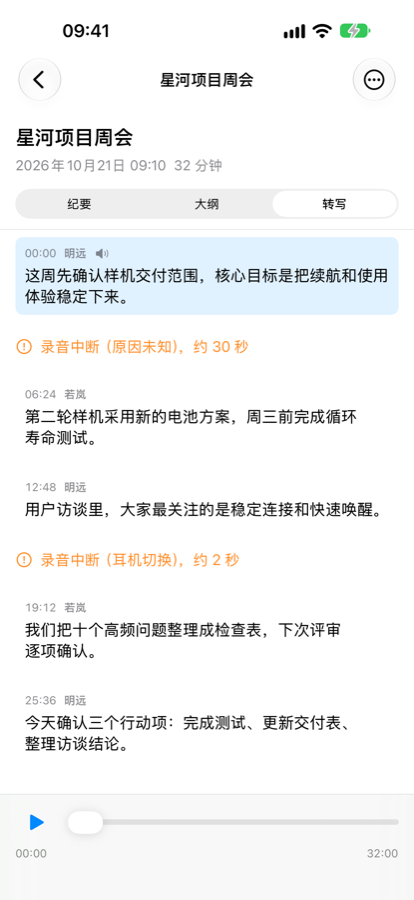
When you stop, the recording is turned into timestamped text. Where your system supports it, free on-device transcription is used by default; you can also switch to your own cloud transcription service for better handling of names and terms.
- On-device: Mandarin, Cantonese, English and more
- Interruptions are marked as gaps, never silently dropped
Live outline Optional AI
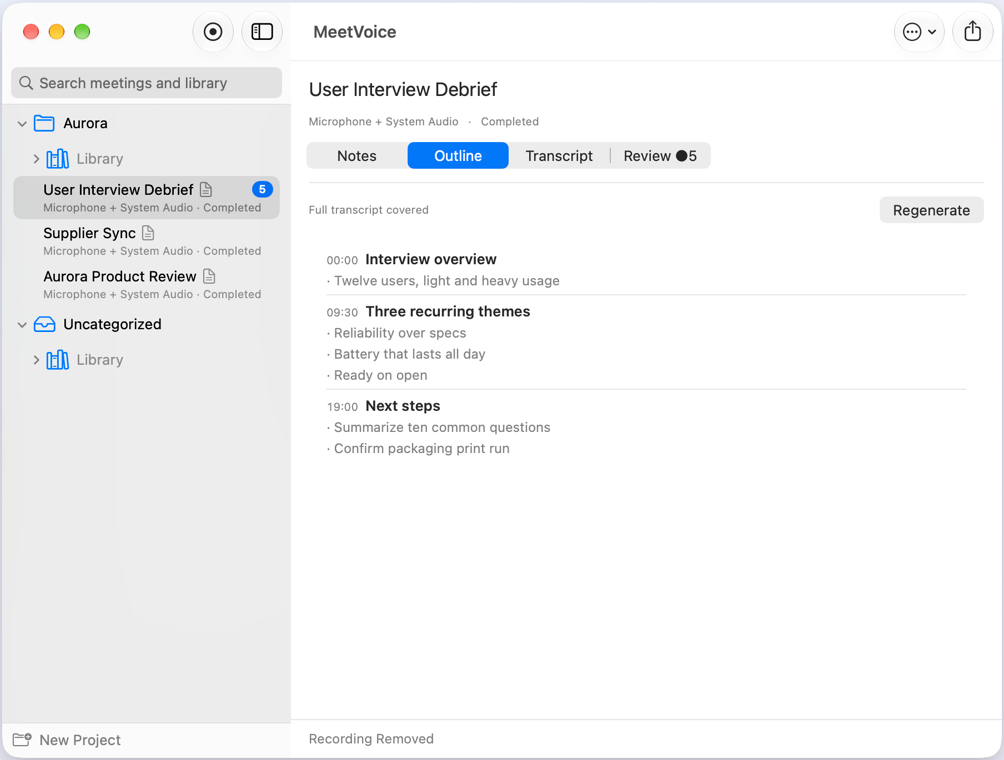
While you record, the outline updates about every half minute from the new transcript. Where the discussion is and what was just decided are always one glance away. You can also generate it after the meeting.
Notes and meeting titles Optional AI
AI notes and outlines are currently generated in Chinese; English generation is coming soon.
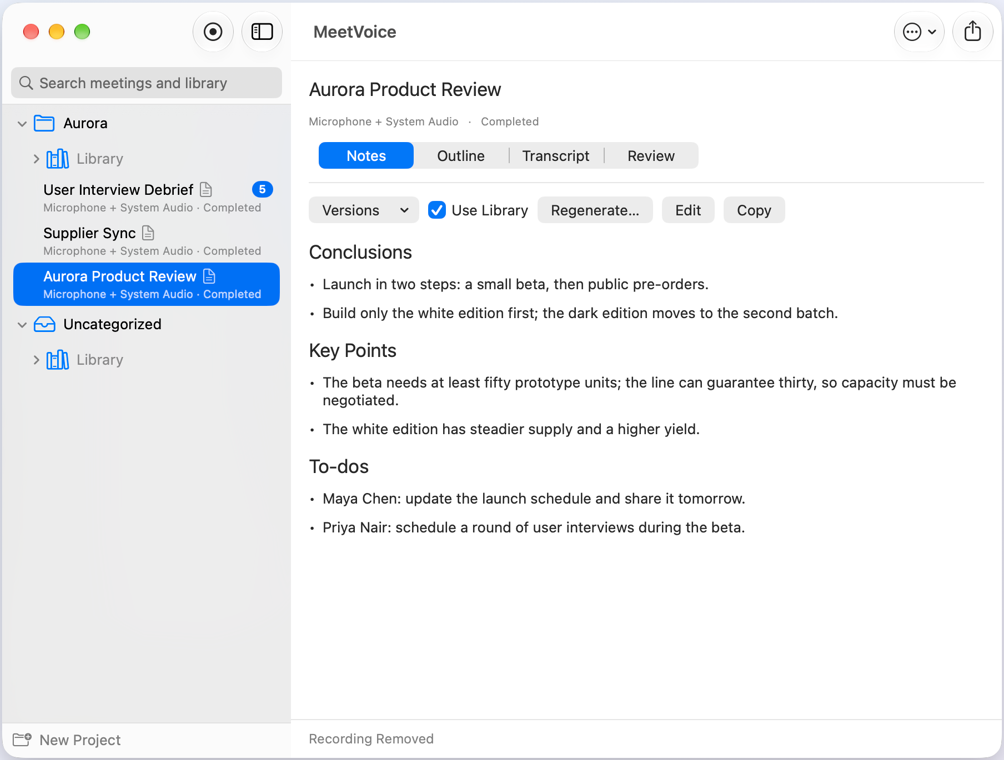
- Summary or detailed notes
- Concise, balanced or detailed length
- Edit by hand, regenerate, and review earlier versions
- A meeting title is suggested once notes are ready; rename or regenerate it anytime
Library Mac
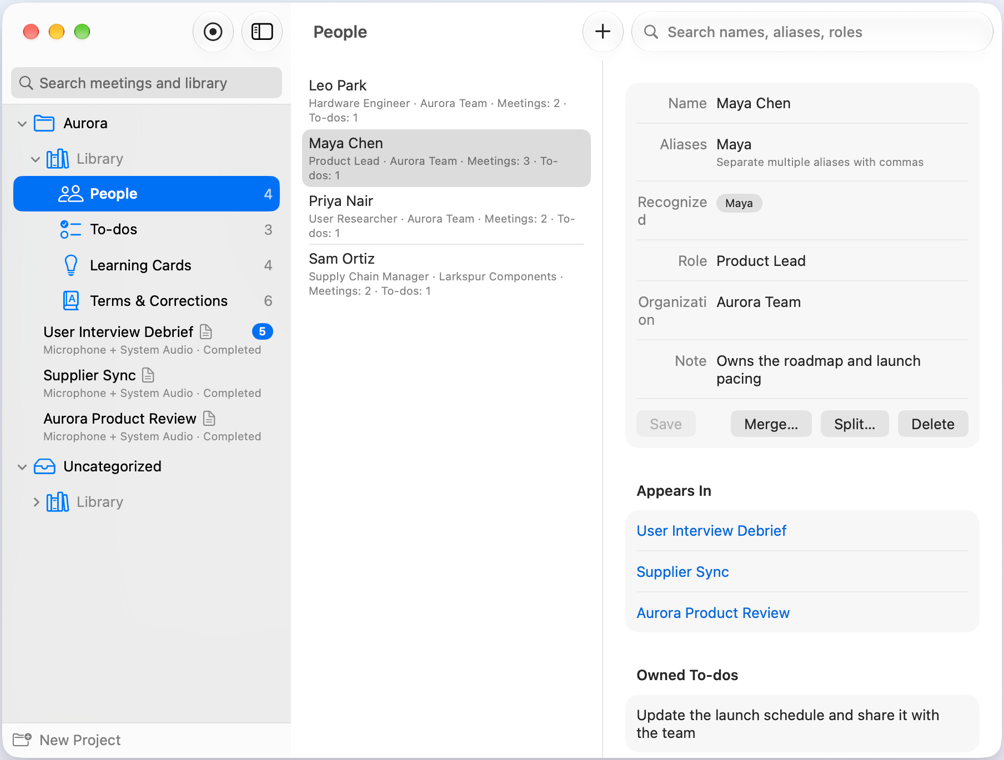
- People, to-dos, learning cards and key terms are extracted from notes
- Nothing is saved until you review it, so your library never changes without you
- Organized by project; the People page shows every meeting a person appeared in
- Names and key terms help make transcription more accurate
And the details
Import recordings
Import existing audio files as meetings and transcribe them (Mac).
Export
Export notes to Markdown files, or a whole project's meetings and library (Mac).
Full-text search
Search meeting titles, transcripts, to-dos and learning cards.
Playback and cleanup
Listen while following the text; after transcription, clean up the audio and keep only the text to save space.
Version history
Every time notes are regenerated, earlier versions are kept so you can look back.
English and Chinese
The interface follows your system language.
What each platform does
| Mac | iPhone / iPad | |
|---|---|---|
| Microphone recording | ✓ | ✓ |
| System audio recording | ✓ | — |
| Lock Screen recording, Dynamic Island | — | ✓ |
| Free on-device transcription | macOS 26+ | iOS / iPadOS 26+ |
| Cloud transcription (your account) | ✓ | ✓ |
| Live outline | ✓ | ✓ |
| Notes and meeting titles | ✓ | ✓ |
| Library | ✓ | — |
| Import audio | ✓ | — |
| Export notes | ✓ | — |
| Full-text search | ✓ | ✓ |
Services you can connect
For transcription and notes, choose a provider you already have an account with, or any service compatible with the OpenAI API.
| Transcription | Notes and outlines | |
|---|---|---|
| On-device (free) | ✓ | — |
| Alibaba Cloud Model Studio | ✓ | ✓ |
| Xiaomi MiMo | ✓ | ✓ |
| SiliconFlow | ✓ | ✓ |
| DeepSeek | — | ✓ |
| OpenAI-compatible services | ✓ | ✓ |
Get started in three steps
Install
Download the Mac version directly, or get it for Mac, iPhone and iPad on the App Store.
Start a recording
The system asks for microphone access the first time. Allow it and you're set.
Get the text
Transcription starts when you stop. For automatic notes and outlines, add your own language model key in Settings.